
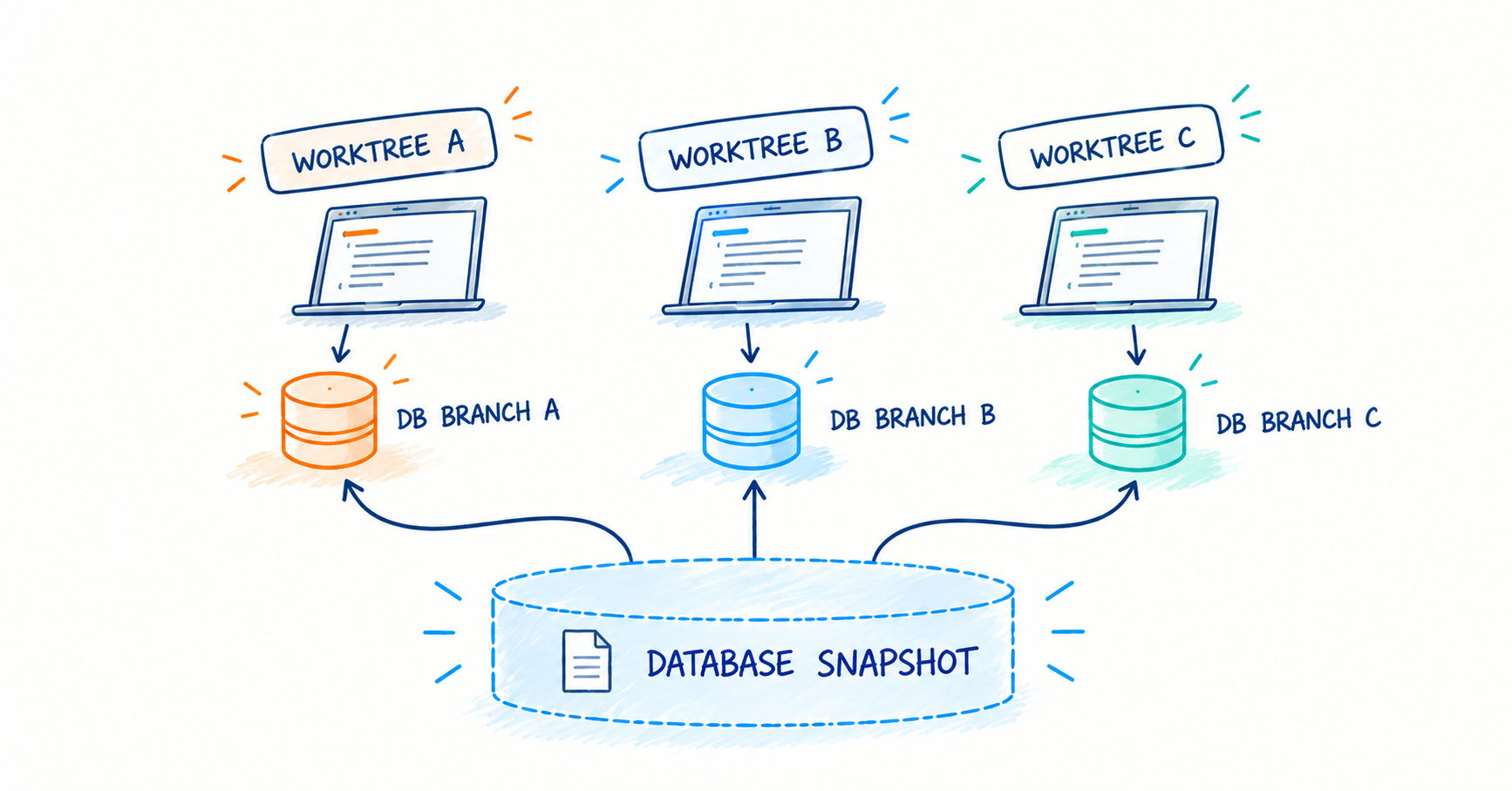
When agents or devs write code and test it they often need to reset state. Sometimes they need to share state. Occasionally they get things wrong, or come to a realization only after implementation requiring a do over, while a large test suite needs to run tests concurrently starting from a similar state.
With most infrastructure sharing state is trivial but the database has always been a PITA. The database tends to make iteration expensive. You should be able to branch your database like you do your code - checkout, reset, and switch branches like git.
Heard of this before? Somehow the solution always requires a custom database, promised to be protocol compliant with <popular database>. This custom database is supposedly the same but if it differs ever so slightly from what you’re running in prod, how do you know that difference isn’t important?
Introducing brancher
brancher makes your database branchable. The same postgres, mysqld, mongod binaries as downloaded off the internet - but with branching, and it's free, with more engines to come!
With brancher you can snapshot, branch, and launch ephemeral clones of your existing database without any other dependencies: no special file systems, drivers, or storage platforms. It works on both Linux (Debian) and Mac, and Windows on the roadmap.
As a bonus, snapshots taken with brancher are portable, because they’re just files. You can share them between machines, store them on a thumb drive and object storage. you get the idea.
An Example
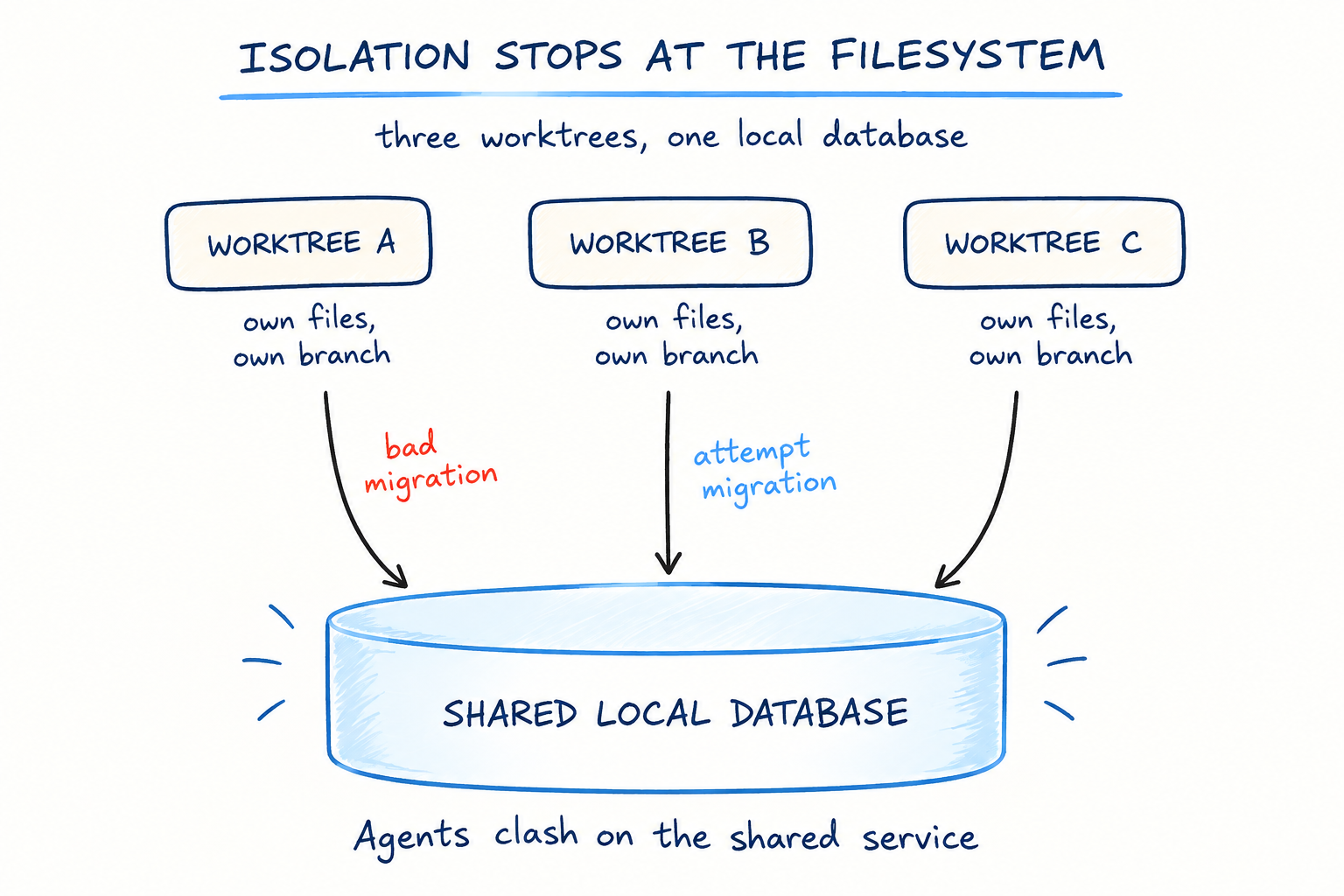
Say you’re running locally with three agents, each on their own worktree.
Without brancher, it's cumbersome to manage multiple databases, because each agent needs to manage its own state.
With brancher, each worktree can have its own branch of a snapshot. When work on one worktree completes, that instance’s snapshot can become the main one, and the agents on the other worktrees can logically rebase onto it.
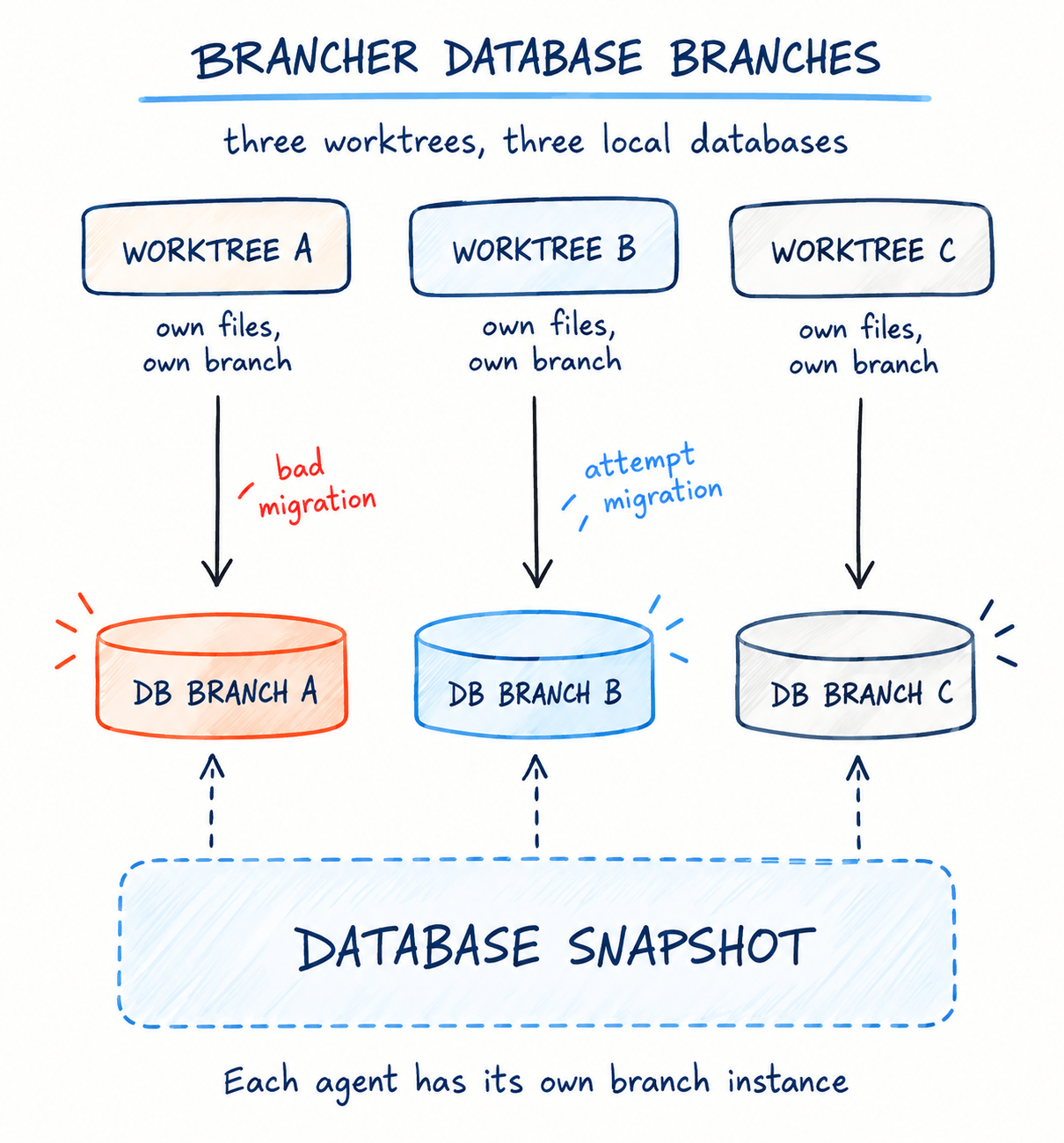
The database launched is an instance of the exact same database you’re used to using, so all familiar tools, extensions and features work as is.
How it works
Brancher uses Basehift’s libc interposition library for block-level copy-on-write.
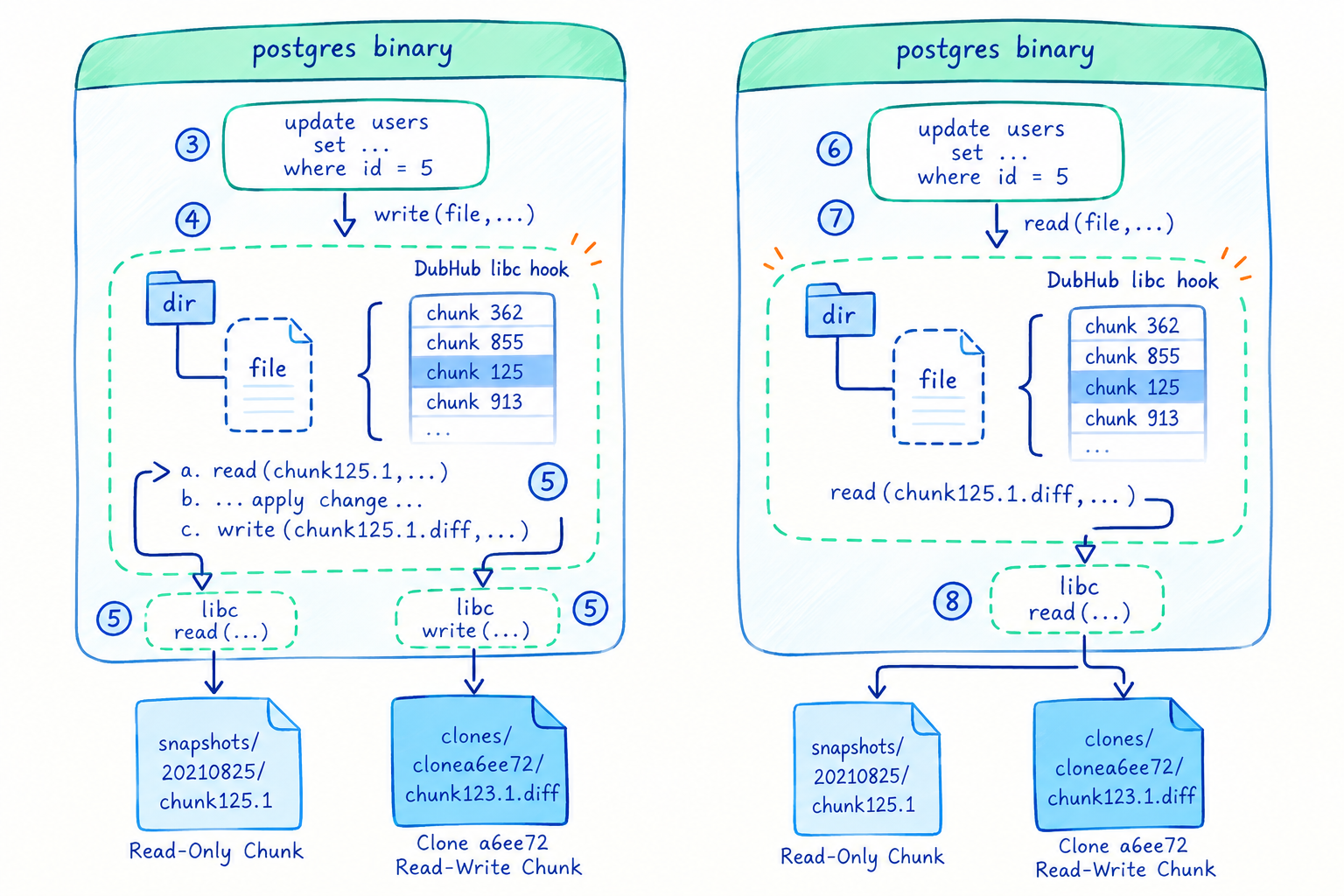
Data is stored in chunks, and metadata describing the state of the file system is stored in .snap files saved when the database shuts down.
Try it on your dev database
Installing brancher is easy:
On Mac, directly with homebrew:
Or use these steps to see brancher at work:
Setup:
Accept the EULA:
Empty Postgres:
Create a table:
Branch:
Clone:
Shut down:
Need data from production?
Branching a local database that starts off empty or has mock/seed data is one thing, but sometimes you need data from the real world. Baseshift extracts data from production environments, including masking and subsetting, and produces a snapshot using the same technology powering brancher. You can start with a free tier hosted in your cloud (BYOC) or ours. Check it out at baseshift.com